
Sounding Rocketry Workshop 2026
READ ME
Read the Read Me file before proceeding further.
Contribution
Team Members: Dhruv Kakade, Abhay Nandan U, Akshay M, Avik Rajeev Babu
Volunteers: Bhoomika S, Bhavana PH
Dates
Start: 10th April 2026
End: 13th April 2026
Competition Pictures
The Rockets developed by the teams are shown on our flickr album
Acronyms
SRM: Solid Rocket Motor
ORK: OpenRocket
BATES: Ballistic Test And Evaluation System
OS: Operating System
Softwares Used: OpenRocket, OpenMotor, SimScale, VSCode, PlatformIO,
The following softwares and actions can be done using a Windows, Mac and a Unix based OS Atleast an Intel Core i3 with 6Gb RAM (Core i5 or similar AMD processor with 8Gb RAM are recommended)
Airframe
Material: Cardboard Outer Diameter (mm): 64 Thickness (mm): 2 Length (mm): 1000
Solid Rocket Motor
- Class: H-Class
- Motor Designation: H
- Impulse (Ns):
- Isp (s):
- Grain Core Dia (mm): 12
- Grain Outer Dia (mm):
OpenMotor (Version: 0.6.1)
Firstly set OpenMotor to your comfortable units at Edit > Preferences (On Windows) and OpenMotor > Preferences (or CMD + ,) on macOS. The team used the following units for this workshop as shown in Fig. 1.
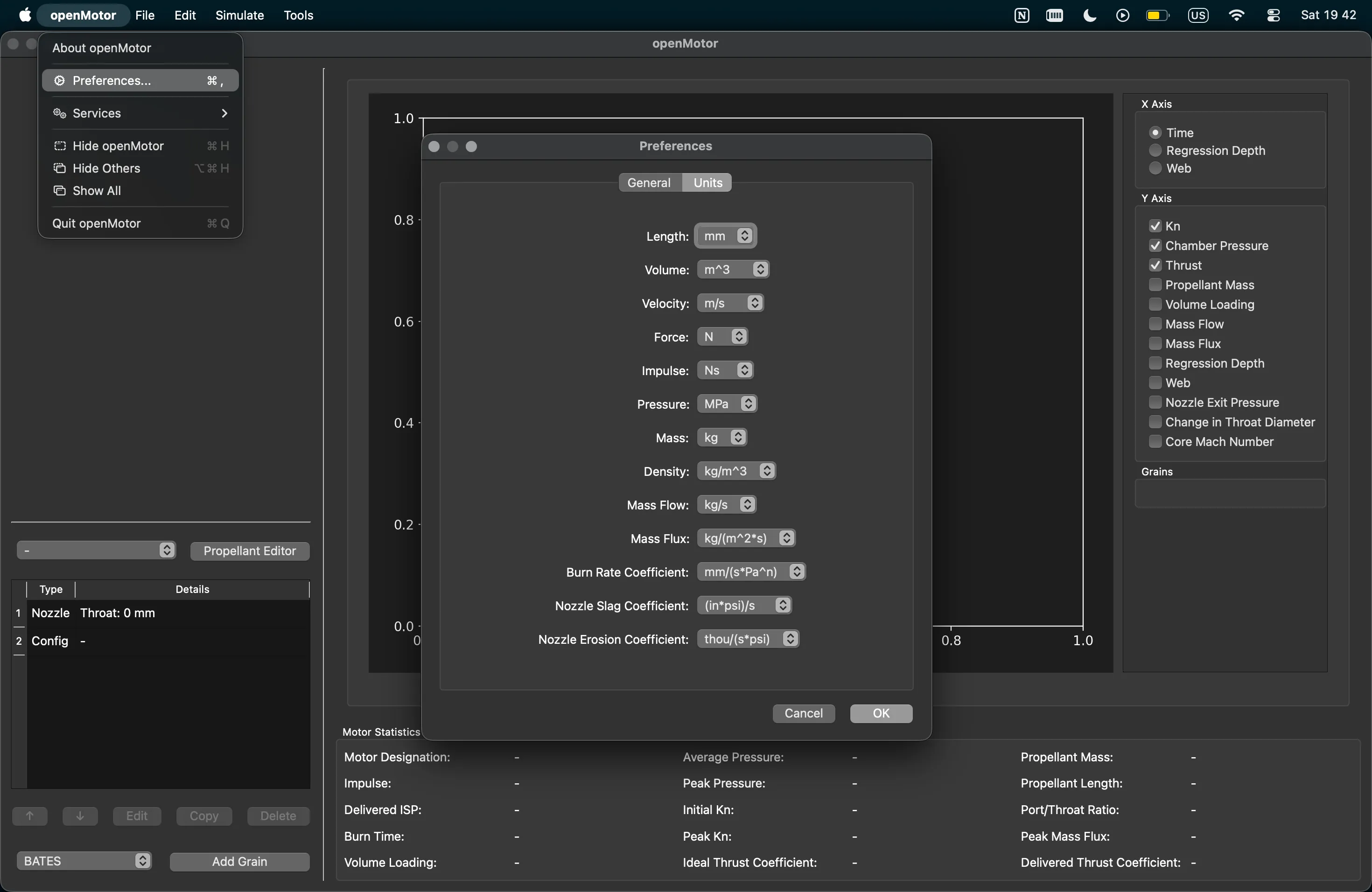 Fig. 1: Unit preference used in OpenMotor
The main step in simulating the motor is to define solid fuel geometry this is called a grain.
This SRM uses a BATES grain structure. A BATES grain structure gives a progressive thrust and chamber
pressure variation and is also easy to manufacture hence used here, there are various other types of
grain used in SRMs you can see that here at our resource archive and the books referenced there.
Heading back to OpenMotor select the BATES option from the drop down then click on the add grain
button on the bottom of the left pane. Then enter the values of the motor as given in the Fig. 2.
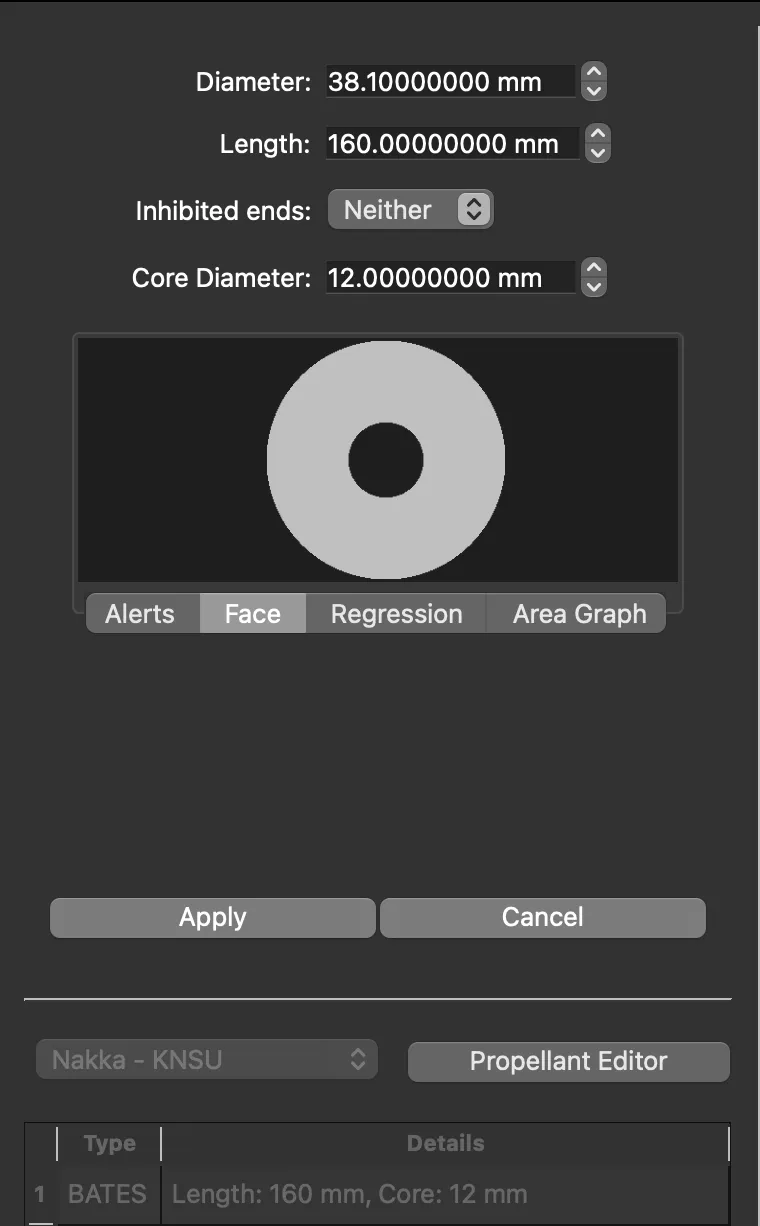 Fig. 2: Grain geometry of H-Class SRM
Now below the grain details you have the nozzle tab click on that for the nozzle we will be using epoxy clay with a center drilled hole with 7mm diameter and and a throat length of 15mm. The value of efficiency is found by comparing the values of static tests conducted on a test stand and matching those values with open motor values by changing the efficiency value of the SRM. The following values were entered in OpenMotor for the nozzle section and the cross section is shown in Fig. 3. After entering the values click on apply.
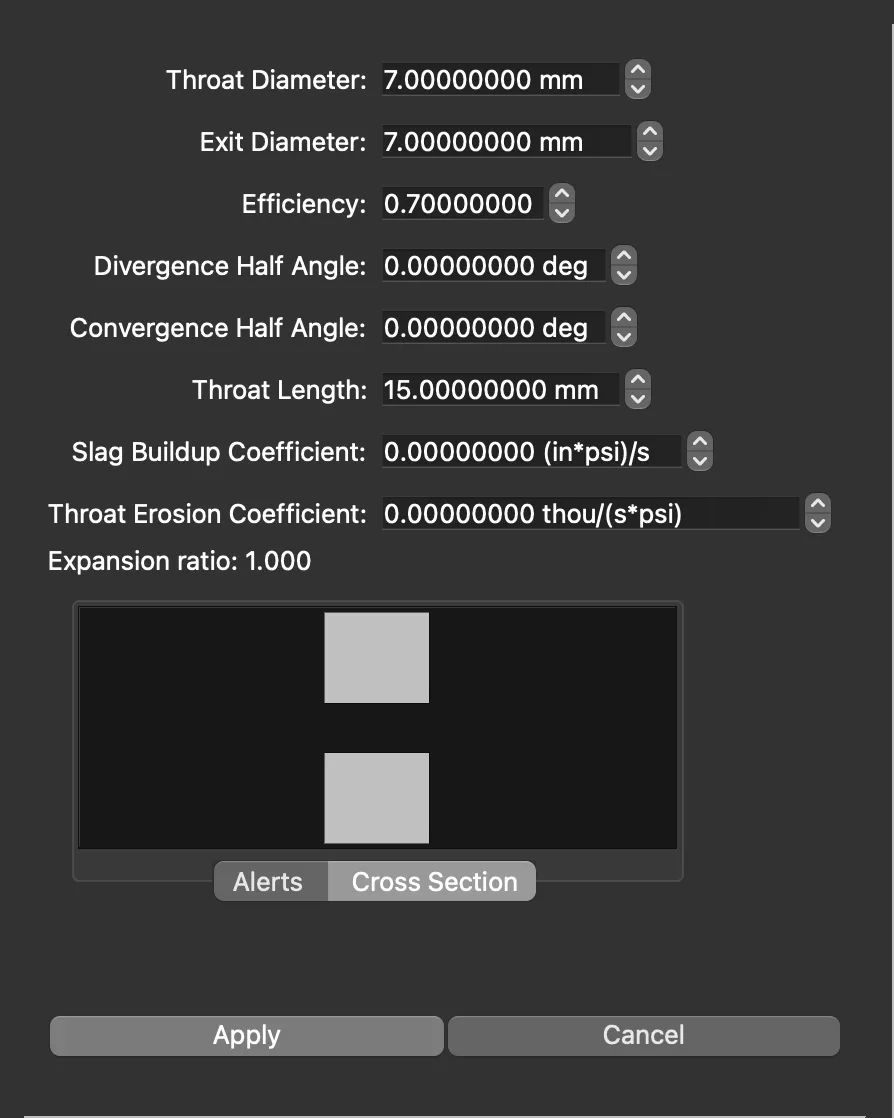 Fig.3: Nozzle geometry used in the SRM
Head to Config below the nozzle tab and set the maximum pressure to as shown in Fig. 4.
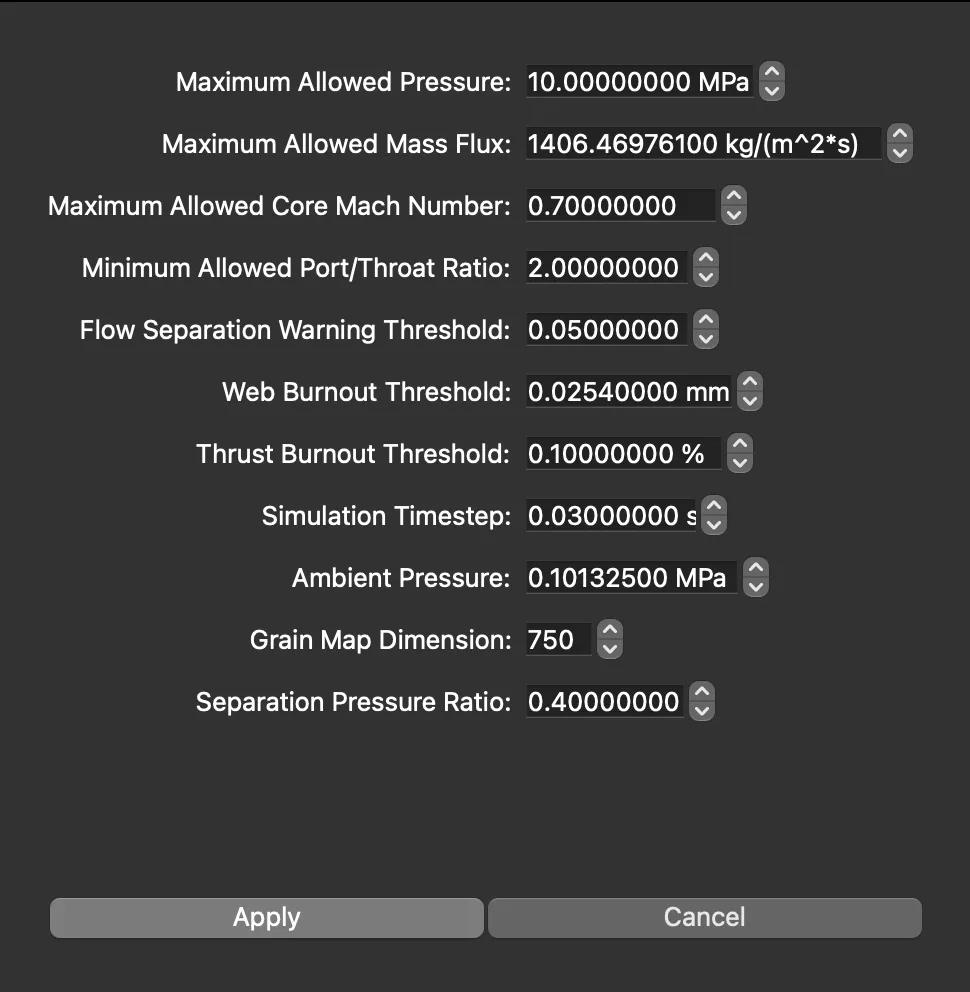 Fig. 4: Configuration of the SRM
After this you can hit CMD + R or Ctrl + R to run and obtain the graphs.
Design and Simulation Of The Model Rocket
The entire model way tested on OpenRocket. Full tutorial coming up soon.
Fins
The individual fins were designed as the groups wanted them to look like while the stability margin was ensured to be under safe limits by the official team members for launch.
Electronics
Consisted of basic LoRa radio, BMP280 barometer, ESP32 micro-controller.
For any errors, mistakes or any issues contact: Dhruv Kakade (Co-Team Lead), dhruvkakade5@gmail.com